

Browser Dolby Atmos AC-3 Exclusive Output Ultimate Solution
Preface
Due to well-known reasons, the Dolby Atmos AC-3 decoder is not built into Chromium-based browsers. Additionally, starting with Windows 11 24H2, Microsoft has completely removed the system's built-in AC-3 decoder. This results in the inability to properly activate the AC-3 decoder when playing Dolby Atmos content directly in browsers, causing audio to be downmixed to stereo output. This article presents the ultimate solution to resolve Dolby Atmos exclusive output issues in browsers and similar applications.
Applicable Scenarios
- Hardware decoders supporting Dolby Atmos AC-3 decoding
- 5.1 / 7.1 surround sound systems
- Sound cards supporting AC-3 decoding with Dolby Atmos
- Laptops supporting AC-3 decoding
- ...
Configuration Requirements
Windows 11 24H2or laterChromium-based browser (this article usesMicrosoft Edgeas the demonstration example)
Implementation Steps
Install Dolby Atmos AC-3 Decoder
- Navigate to the AnWave GitHub Release page, download the latest release, and install it.
As of the publication of this article, the latest AnWave release is AnWave 2024 version 7.1.45.0 (October 17, 2025 Update).- After installation, launch the application, navigate to
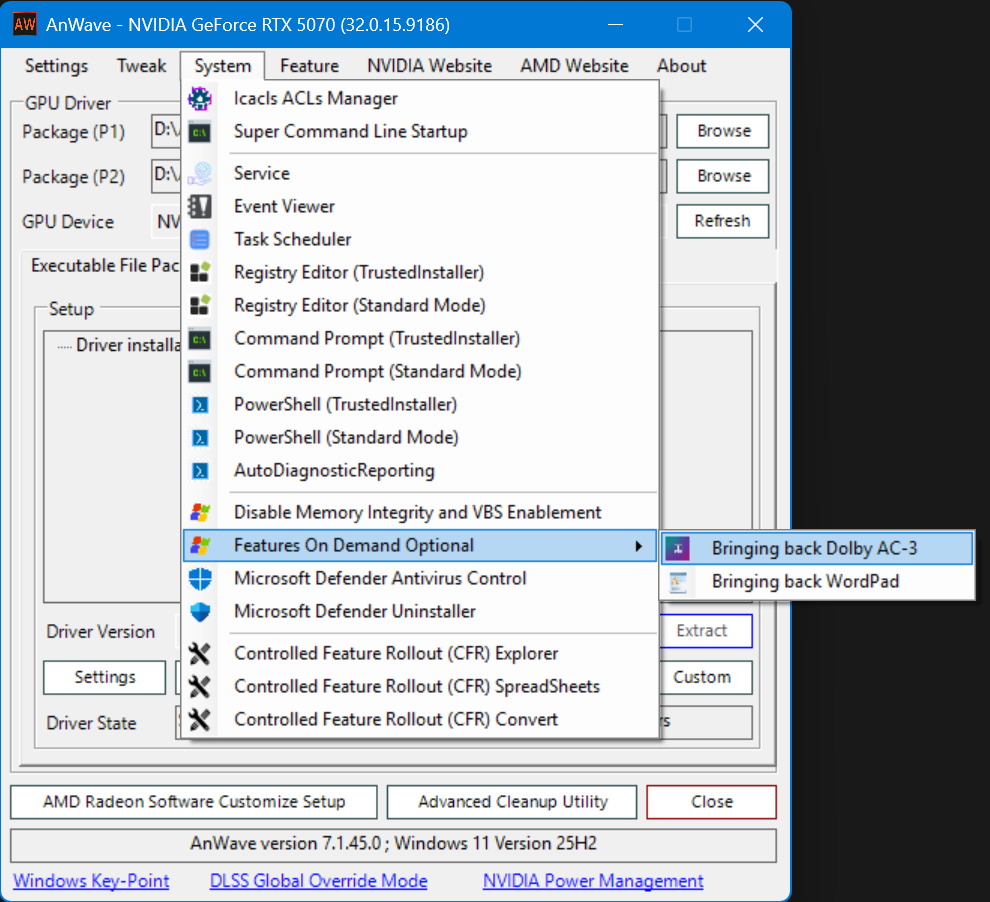
System→Features On Demand Optional, and selectBringing back Dolby AC-3.
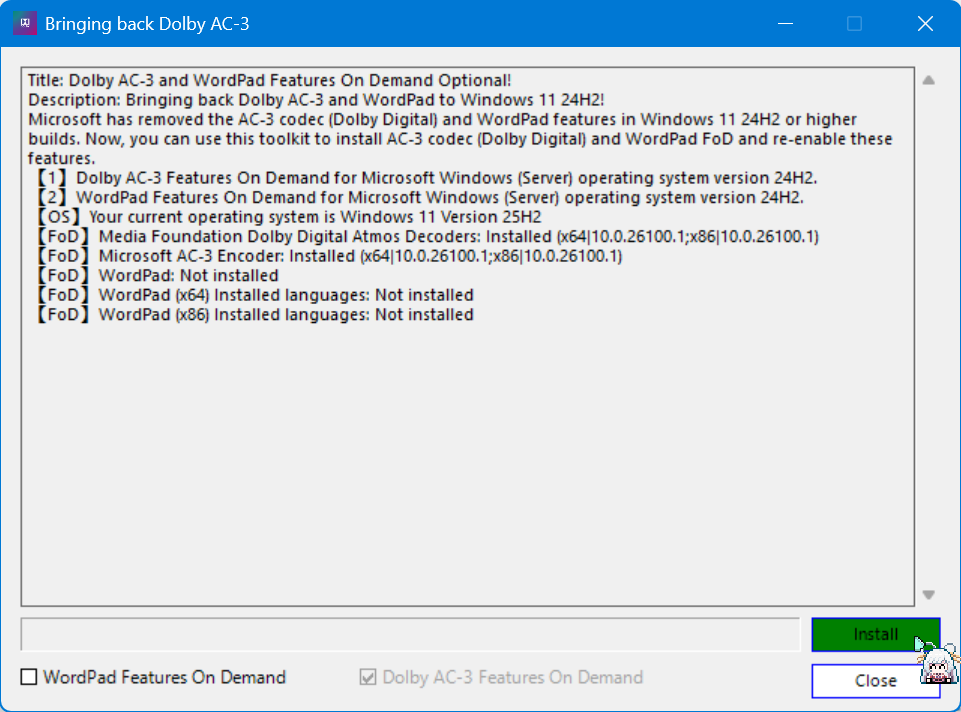
- Click
Installdirectly. After a brief wait, theAC-3decoder will be successfully installed on your system.
- Restart your computer after installation completes.
Configure Browser
- Disable browser features such as
Startup BoostandKeep the Edge window open when closing the last tab(or similar functionality). - Open the browser shortcut properties and append the following launch parameter:
--enable-features=MediaFoundationClearPlayback.
- If your browser launches automatically at startup, locate the browser's registry entry for startup and append the same launch parameter.
- If your browser shortcut is pinned to the taskbar, modify the shortcut in the Start menu and re-pin it to the taskbar.
Verification
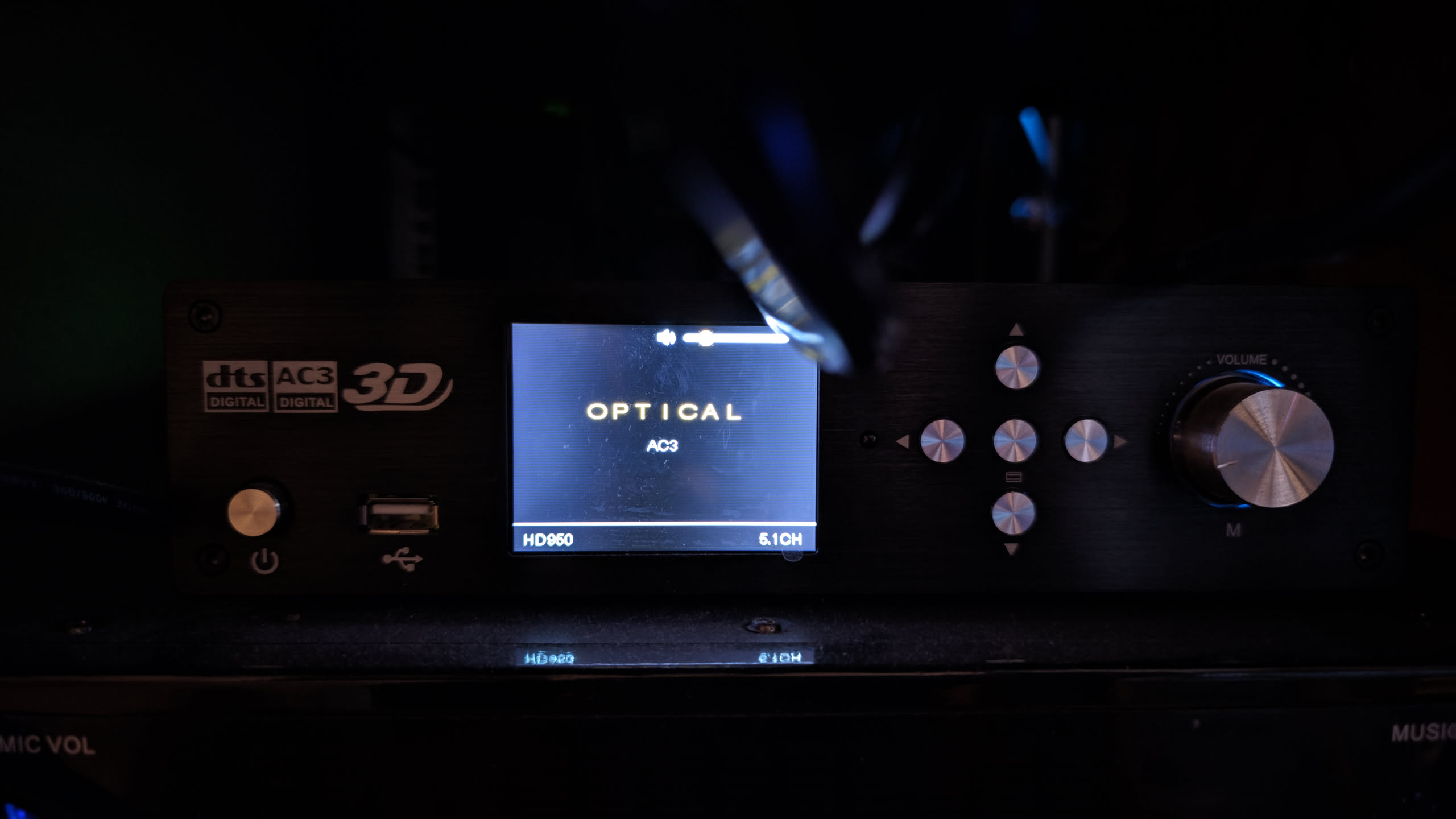
Open a video or audio file containing a Dolby Atmos AC-3 track and observe your player. If the AC-3 signal is correctly recognized, the modifications have taken effect.
Conclusion
Thank you for reading! If you find this article helpful, please share it with those who may need it. Should you discover any omissions or errors, your feedback is welcome!