

WACCA Audio/Video Desync / Chart Offset Analysis
Overview
Let's first clarify the entire video output process:
Game Rendering --> Graphics Card Output --> DVI Interface Output --> Driver Board Signal Analysis --> Converted to Photoelectric Signal Output to Screen- Since the game uses frame-based judgment low-latency technology, this requires that the timing of each frame on the screen must match the game program. After timing synchronization is achieved, the screen display can theoretically achieve 0 latency effect. However, timing synchronization heavily relies on the coordination capability between computer hardware components, specifically the
Graphics Card OutputandDriver Board Signal Analysisin the process. This is where the problem arises. - Sega-based games (including WACCA) all use the screen driver board shown in the image below. As the usage time increases over years, the driver board's timing perception capability gradually degrades, causing timing mismatch between the Graphics Card Output and Driver Board Signal Analysis, which affects the entire display, continuously increasing latency until it can no longer correspond to audio timing, making the game completely unplayable.
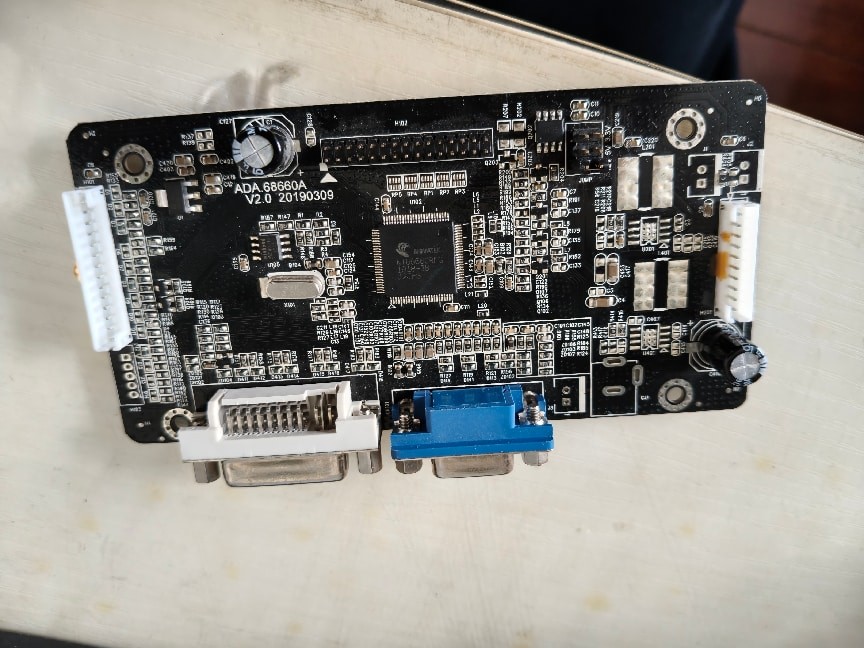
ADA.68660A V2.0
Complete Solutions
Option 1: Insert HDMI/DP Graphics Card Emulator (Highly Recommended)
Simply plug it in and restart after purchase.
Note that since the Chinese server blocks mouse and keyboard, we cannot directly access the NVIDIA settings page to verify the effect. Please test it in-game manually!
- If your WACCA version is special, please manually enter the NVIDIA settings page, find the multiple monitors setting and set it to Clone, with the clone source set to
HDMI/DPas shown in the image below, and set the refresh rate to60hz. This will perfectly solve the problem.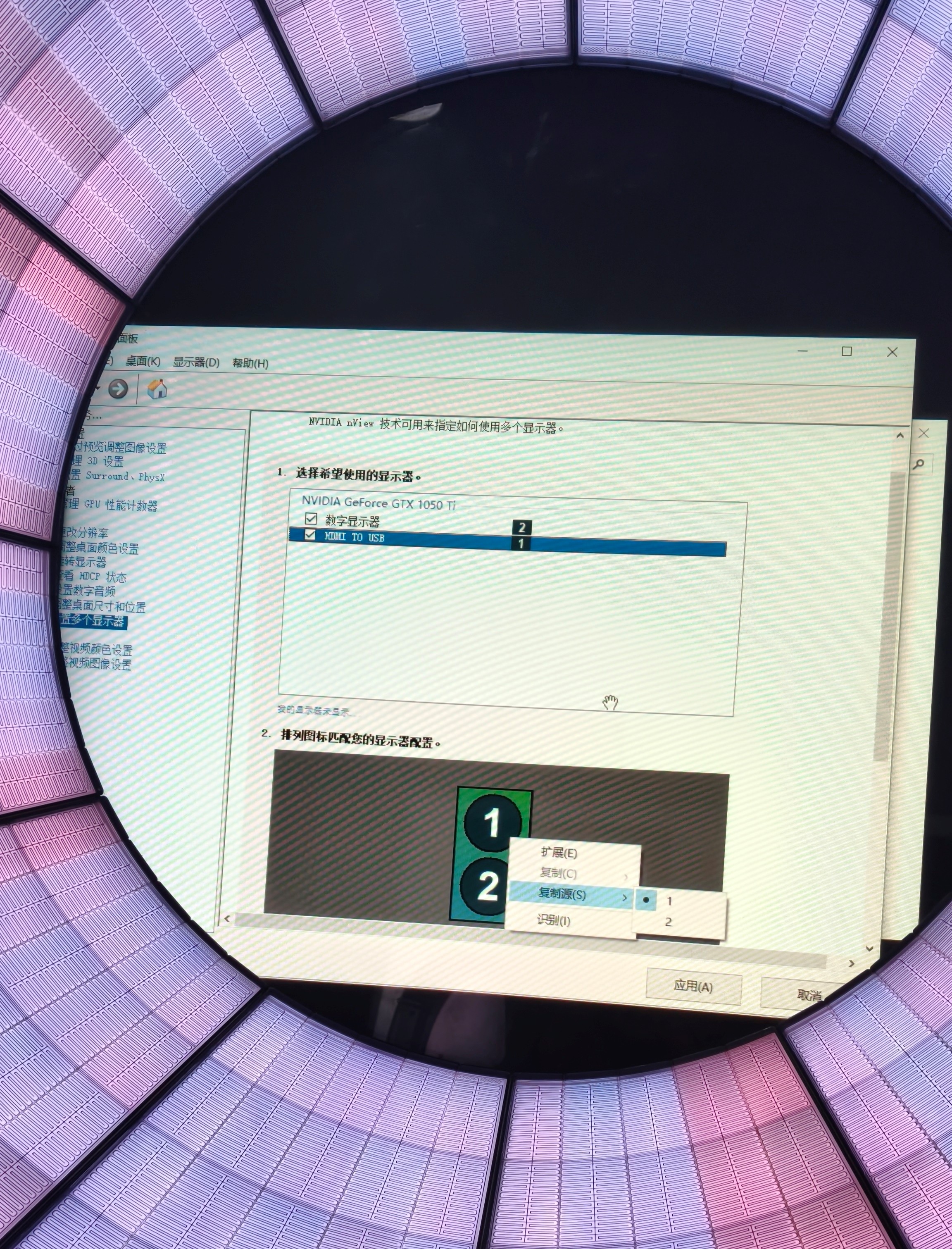
NVIDIA Settings
Option 2: Replace the Driver Board
From the previous section, we know this is caused by hardware aging leading to timing desynchronization. So replacing it with a new screen driver board will solve the issue! Please read the manual for screen removal, and at least two people are required for the operation. Please be careful to protect the equipment and avoid electric shock!
If you are replacing with a third-party screen driver board, please confirm whether the manufacturer provides hardware flashing services, otherwise it may cause display misalignment or timing still being out of sync.
Option 3: Directly Replace with a Screen with HDMI/DP
- If you have sufficient financial resources and are willing to put in the effort, find a third-party manufacturer to customize a screen with aligned mounting holes and steel brackets. This is the perfect solution. If you can accomplish this, please contact us for technical support, and also share your experience for our future screen replacement reference.
Minor Fixes: If you are unable to implement any of the above solutions, these minor fixes may help you.
Option 1: Adjust Screen Display Settings
- Remove the chassis back panel, and you will see a row of buttons highlighted in the image.
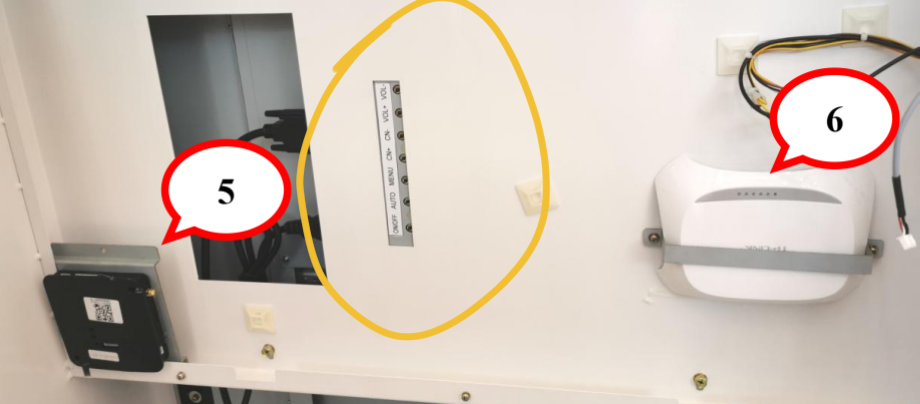
Back Panel Buttons - Adjust display settings. In screen display latency and other settings, find options related to timing and latency such as
sync/Low Latency/Game Mode, and try turning them on or off. Remember to test each switch by playing a game - it may succeed.
- Remove the chassis back panel, and you will see a row of buttons highlighted in the image.
- Option 2: Adjust System Display Settings
- If your WACCA version is special, try opening the NVIDIA Control Panel and find options related to timing and latency such as Low Latency Mode/Triple Buffering/Max Frame Rate/Preferred Refresh Rate, and try turning them on or off - it may succeed.
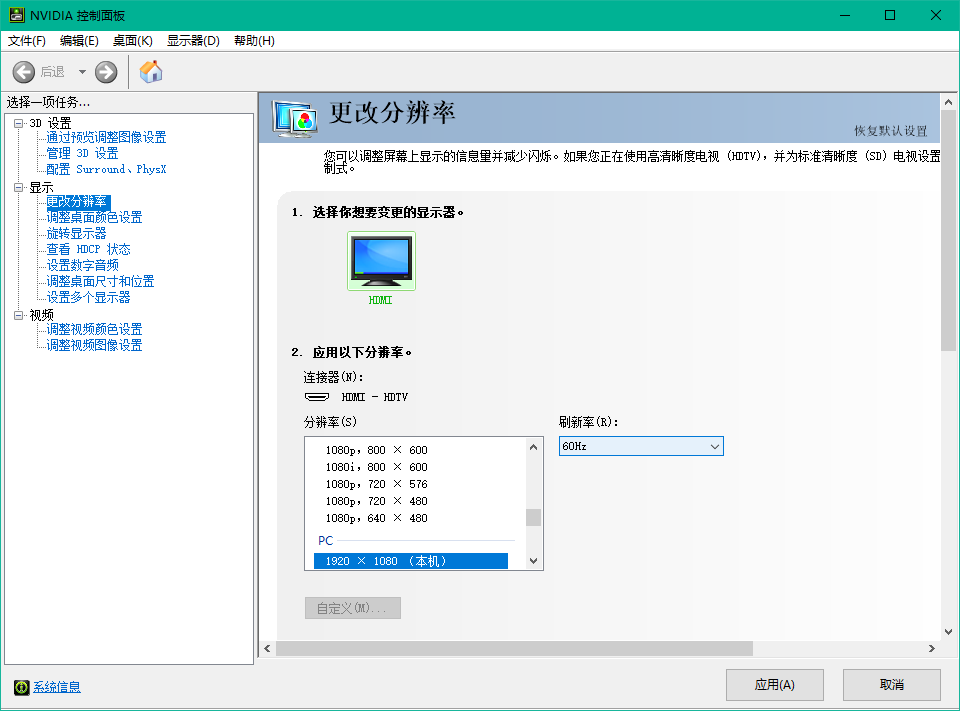
NVIDIA Control Panel 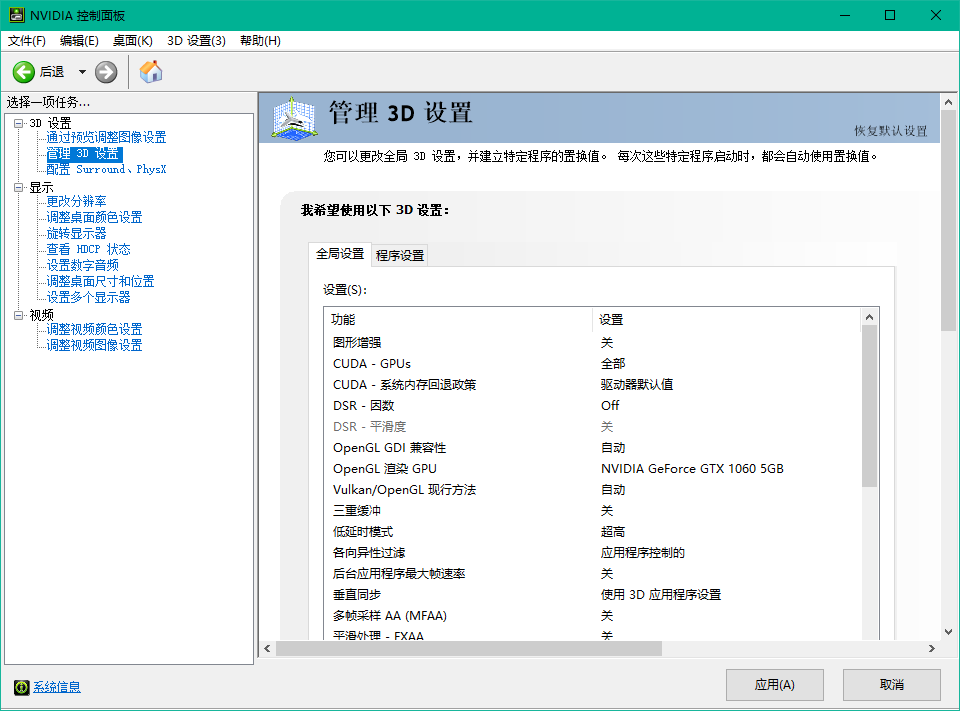
NVIDIA Control Panel
FAQ
Q. Why does switching to HDMI/DP output solve the problem?
A. Because the timing analysis for DVI and VGA video output is completed inside the screen driver board, while HDMI/DP timing is analyzed before the graphics card outputs the signal. The graphics card's timing analysis is strongly correlated with game rendering, so no timing issues arise. Manufacturers use DVI because DVI signal is stable and handling timing on the driver board can reduce display latency, but they overlooked the stability of driver board quality and the reliability of graphics card analysis.
Q. Why does only WACCA have timing issues, other Sega-based games don't?
A. Because WACCA adjusts timing entirely for the entire chart and visual within the driver board, while most Sega games output the chart directly as visual, with timing synchronization only applied to each individual note hit. Therefore, even if timing issues occur, it's only a tiny bit on each note, unlike WACCA where the entire chart continuously accumulates for over 2 minutes of latency, eventually becoming a disaster.
Disclaimer
- This article has no affiliation with
SEGA®,MARVLOUS.Inc, or Shiyu Technology. For cabinet maintenance, please contact professional technicians. This article only provides methods for learning and discussion - This article is authored by Chishuo.zx, only to be published by Madobi Nanami. The content of this article and any consequences arising therefrom are unrelated to this site