

H3C Switch Console Terminal Password Clearance Solution
Preface
When encountering a situation where the password for the Console debugging port of a New H3C switch is unknown, it becomes difficult to perform related switch configurations. So, is there a method to forcibly reset the switch's password? This article will provide you with the solution.
Test Platform
- Switch:
H3C S5130S-52P-EI - Debug Program:
Serial Debug Assistant
1. Entering the Bootroom Menu
Note: Before starting operations, ensure the serial port debugging program is in Terminal Mode.
- Before powering on the switch, connect the switch to the computer using a Console serial debugging cable and open the serial port.
- Then, power on the switch and carefully observe the serial port output information. When you see the prompt
Press Ctrl+B to access EXTENDED BOOT MENU(as shown in Figure 1-1), press the corresponding shortcut key as instructed.
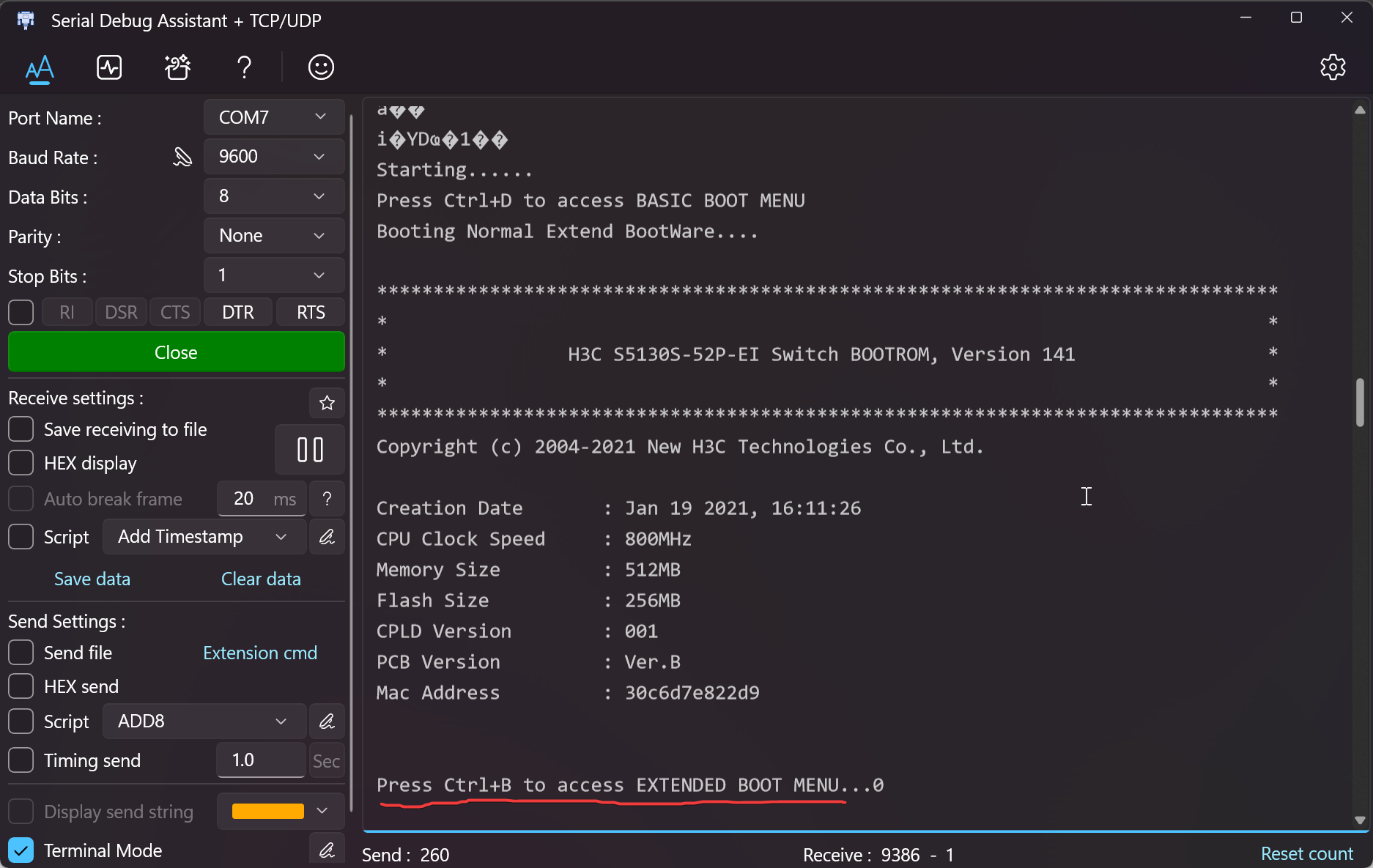
- After pressing the corresponding shortcut key, you should see messages like
Password recovery capability is enabled.. If not displayed, please change the serial port debugging software.
2. Executing the Reset Command
- After entering the extended menu (as shown in Figure 2-1), locate the option for
Skip current system configurationor similar wording.
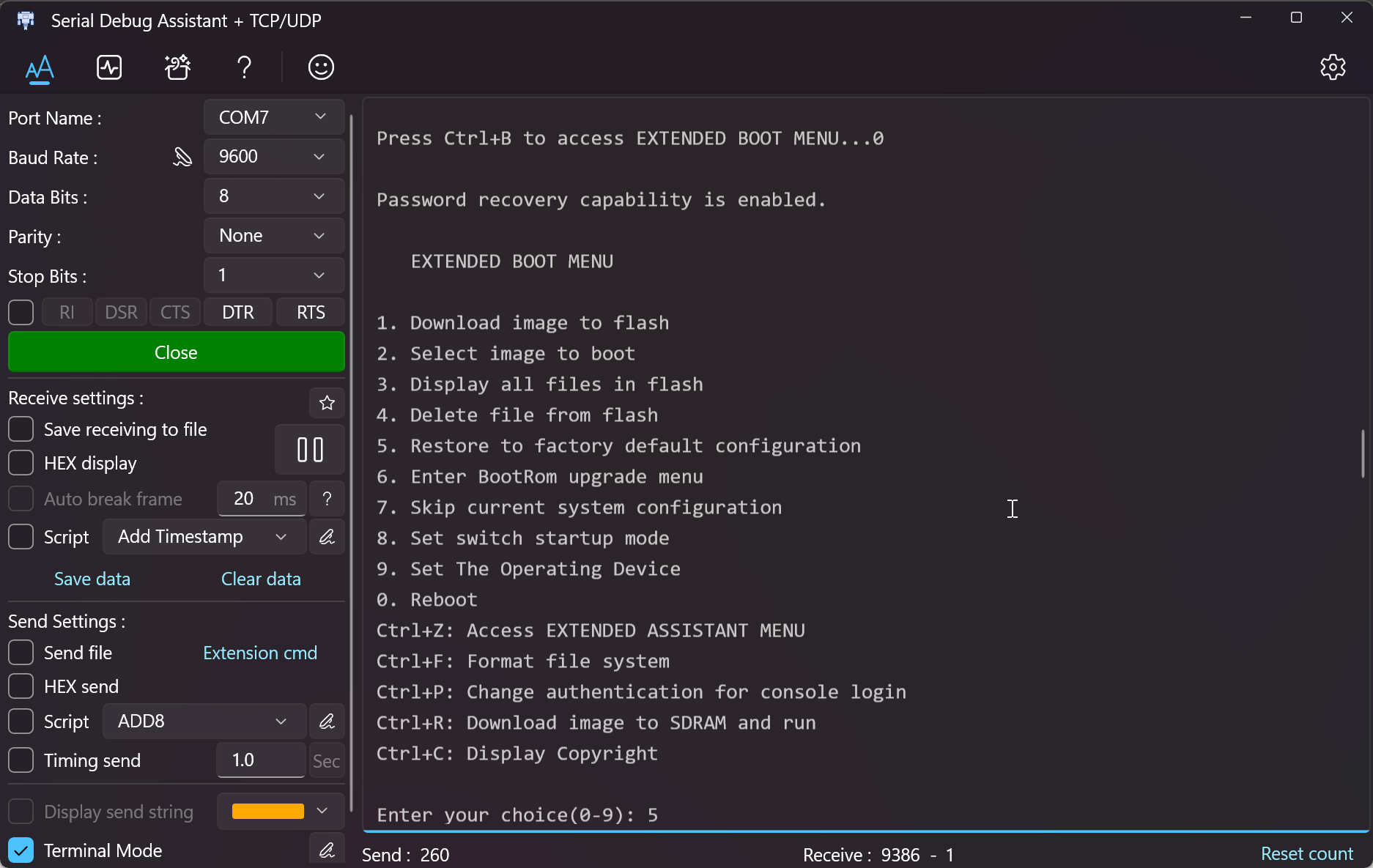
- Press the corresponding number key, hit Enter, and wait for the command execution to complete.
- After execution is complete, restart the device.
3. Reconfiguring the Password
- After the device reboots, you will enter the command-line interface directly. (The switch has no default password.)
- Use the
system-viewcommand to enter the system view configuration mode. - Enter the following commands to set the password:
user-interface aux 0  // If aux 0 is not available, use the console option instead.
authentication-mode password  // Set the login method to password.
set authentication password simple <password>  // Set the password to <password> (replace accordingly).
user privilege level 3 // Set the user privilege level to the highest - 3.- Then, reboot the switch. At this point, the password reset is complete.
Conclusion
- As operation and maintenance personnel, we should not casually configure devices that are running live services. If you encounter this issue on a device in active service, please contact your equipment management personnel for assistance.
- Thank you for reading. If you have any questions, feel free to point them out!
H3C Switch Console Terminal Password Clearance Solution
https://blog.nanami.tech/en/archives/127/